Heat guard
It knows when
to back off.
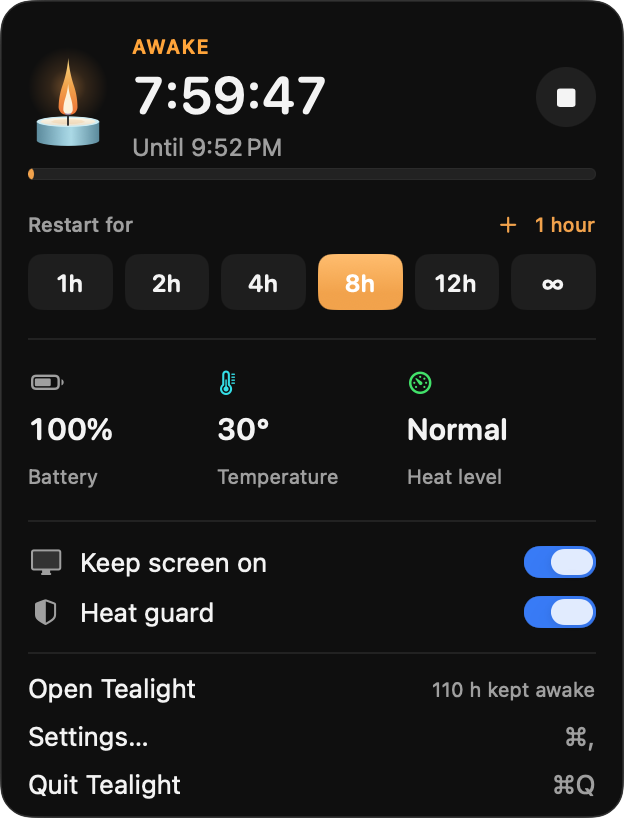
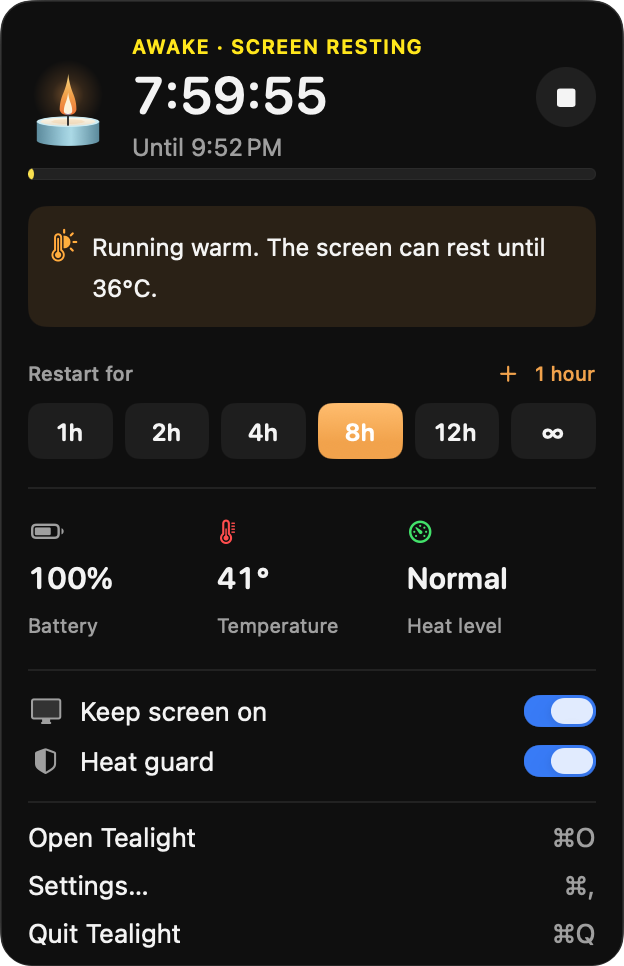
A MacBook that's charging and kept awake can get uncomfortably hot. Tealight watches the heat level macOS reports and the battery's temperature, and steps back in stages.
- 40°The screen rests.Your Mac stays awake, so downloads and remote sessions keep going.
- 45°Your Mac cools down.Tealight lets it sleep instead of cooking your laptop.
- 36°It picks up again.Once your Mac is back to a comfortable temperature.
Activity
And it tells you
what it did.
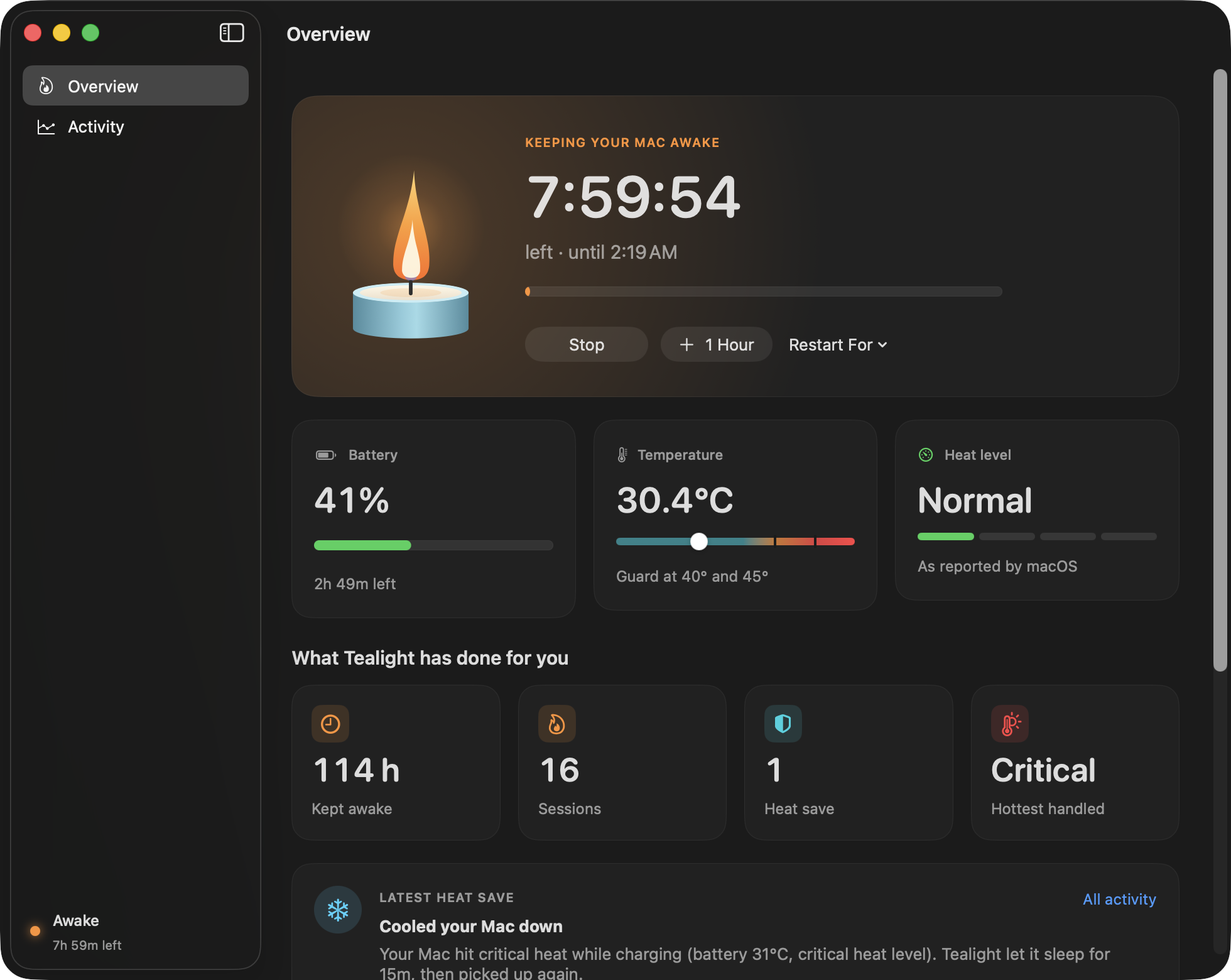
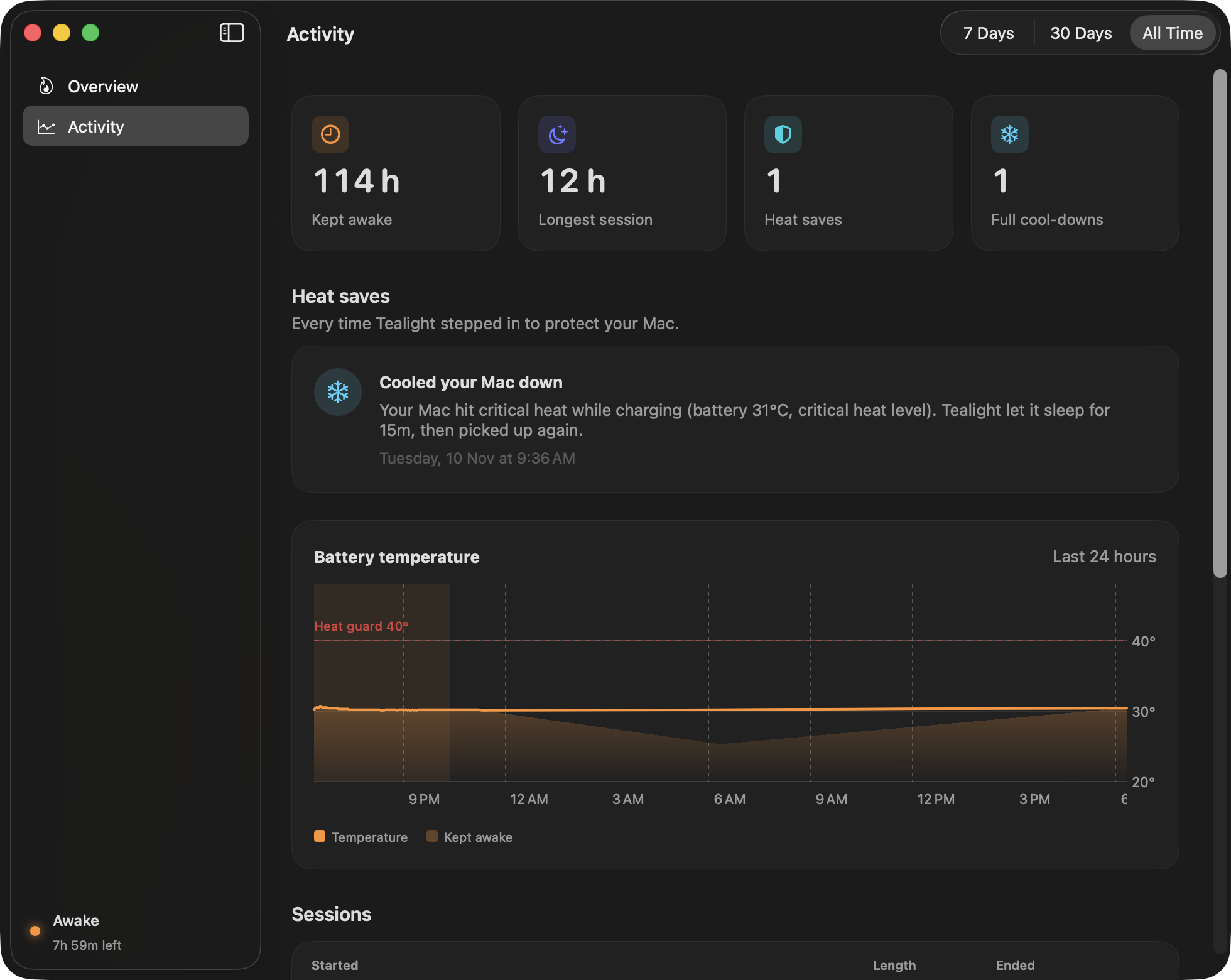
Hours kept awake, every time the heat guard stepped in, and your Mac's temperature, explained in plain words.
Your Mac hit critical heat while charging, with the battery reading just 31°C. Tealight let it sleep for 15 minutes, then picked up again.
Details
Small app.
Thought through.
From any app
Press the shortcut to turn Tealight on or off without leaving what you're doing. A small on-screen confirmation tells you which.
Light on your Mac
Even with the window open.
Stops before your battery runs flat
On battery, a session ends at 20%. Change the limit, or turn it off.
Time left, at a glance
The countdown sits next to the flame in your menu bar.
Shortcuts and Siri
Start, stop and check Tealight from Shortcuts, automations, or your voice.
Private, completely
No account, no analytics, and the app never connects to the internet. Even your license is checked on your Mac.
Pricing
Try it for 14 days.
Then it's yours for $9.99.
Every feature works from the first launch. No account, no card, no subscription.
Tealight
For every Mac you use. Updates included.
- Keep awake for an hour, a night, or until you stop it
- The heat guard, with Relaxed, Balanced and Cautious settings
- Stops before your battery runs flat
- Your full history of sessions and heat saves
- Turn it on or off from any app with ⌃⌥⌘T
- Time left in the menu bar
- Notifications, Shortcuts and Siri
- Checked on your Mac. Never goes online
Questions.
Can it keep a MacBook awake with the lid closed?
Not on battery. macOS always puts a MacBook to sleep when the lid closes on battery, and Tealight doesn't override that. Keep the lid open while it's running.
When exactly does the heat guard step in?
With the default Balanced setting, the screen rests at about 40°C or when macOS reports a high heat level, and your Mac can sleep at about 45°C or a critical heat level. Tealight picks up again at about 36°C. The heat level macOS reports matters most: on November 10 it caught a critical state while the battery read only 31°C.
Should I leave my Mac plugged in?
If your battery is high and you'll be back within a few hours, running on battery is cooler, since charging while awake is the main source of heat. For longer stretches, plug in, and set a charge limit in System Settings → Battery if your Mac offers one.
How does the free trial work?
Download Tealight and everything works for 14 days, with no account and no card. A few days before the trial ends, Tealight reminds you. After that, it needs a license to keep your Mac awake. Your settings and history stay put, and a session that's already running finishes normally.
How do I activate my license?
After checkout you land on a page with your license key and an Activate button that opens Tealight and unlocks it. The key is checked on your Mac, so Tealight still never connects to the internet. You can also paste it in Settings → License. One purchase covers every Mac you use. Lost your key? Write to hello@usetealight.com with your receipt.
Which Macs does it run on?
Any Mac with macOS 14 Sonoma or later. The heat guard matters most on laptops, especially fanless MacBook Airs.
Leave the light on.
Free for 14 days, then $9.99 once. macOS 14 or later.